Method 1: Add Product Descriptions via WordPress CMS
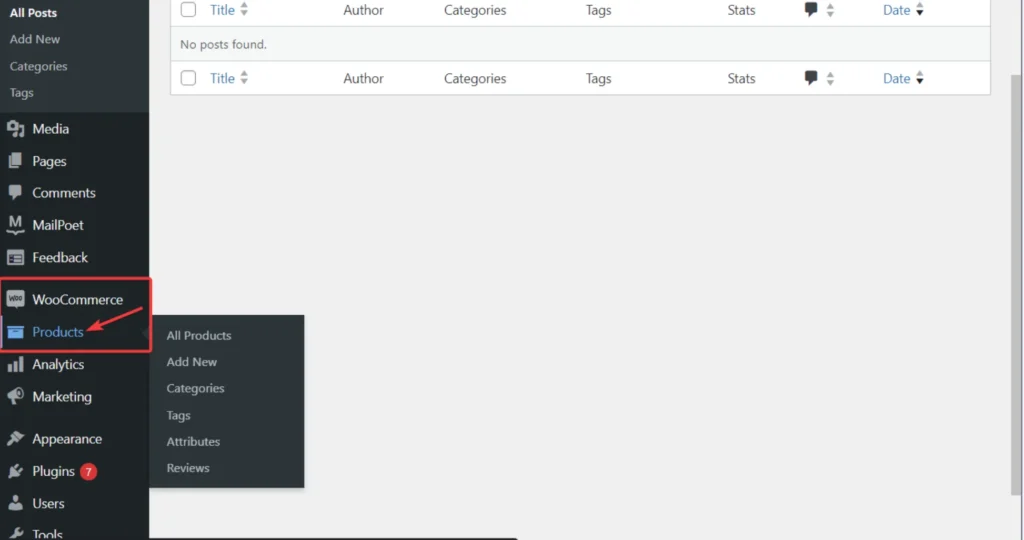
Go to WooCommerce and then select products.
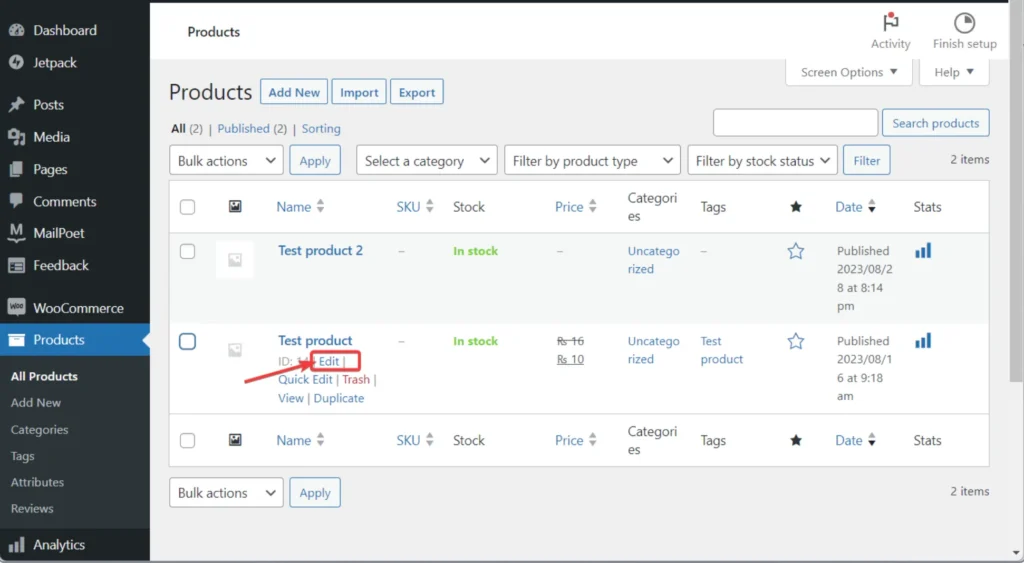
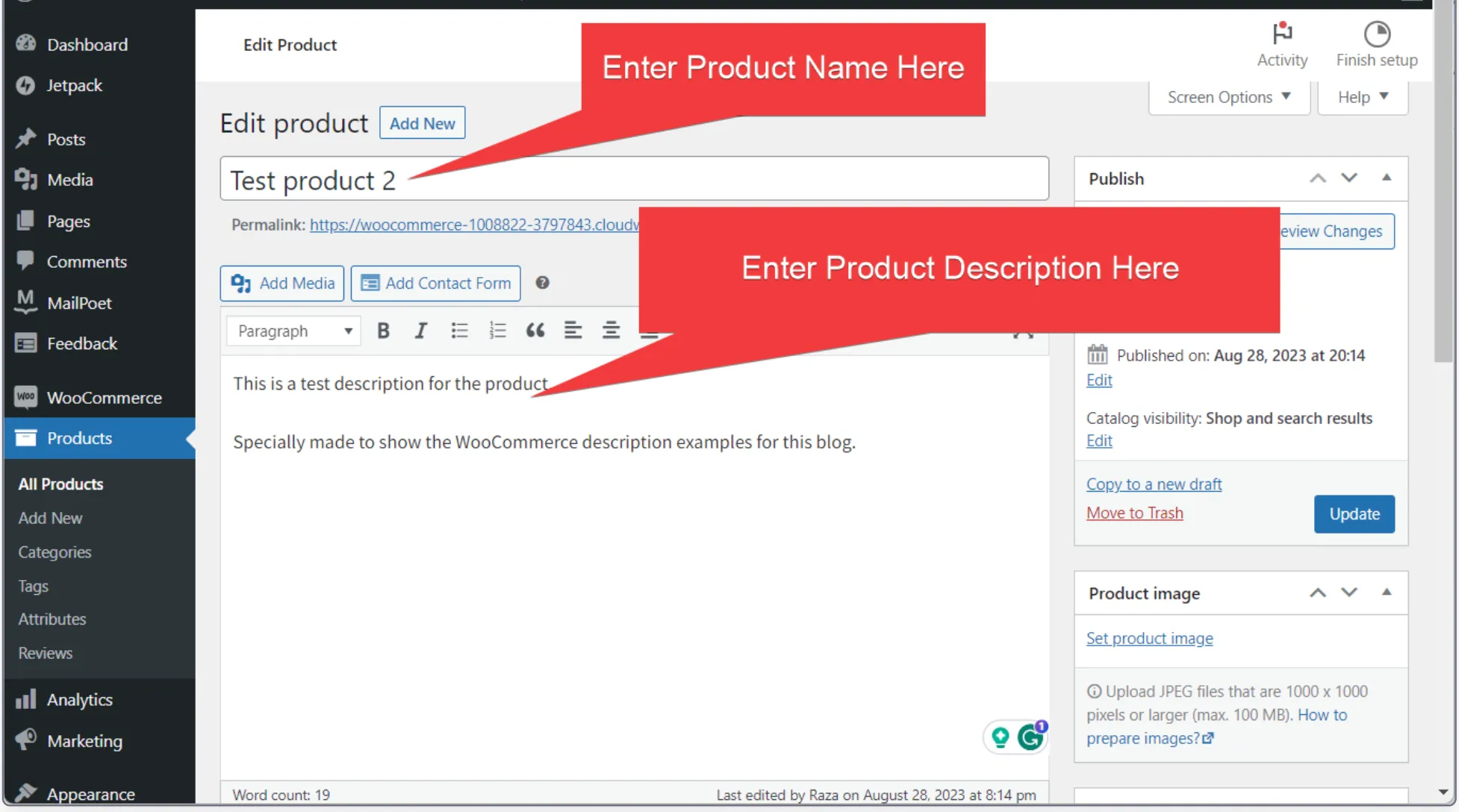
Add a new product or select the one that already exists in your store. Click edit, and you’ll enter the window where you can play around with descriptions.
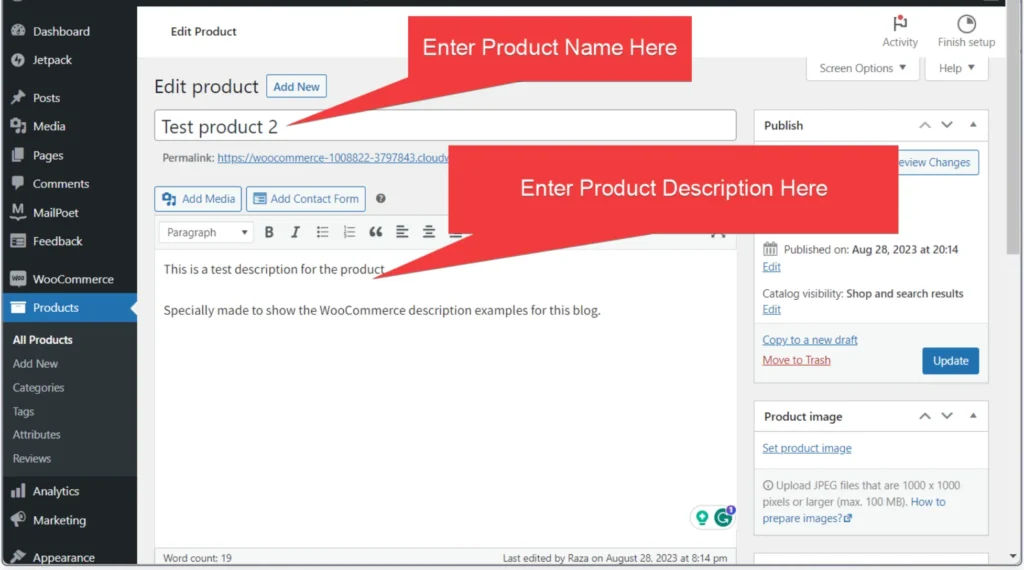
Enter the product name and description.
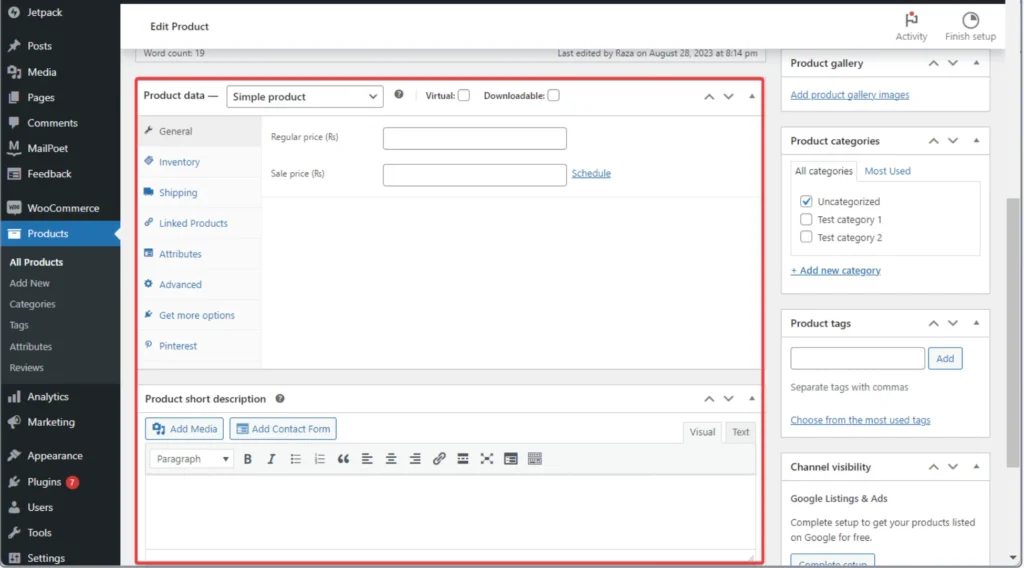
You can scroll down to add further details and short product descriptions.
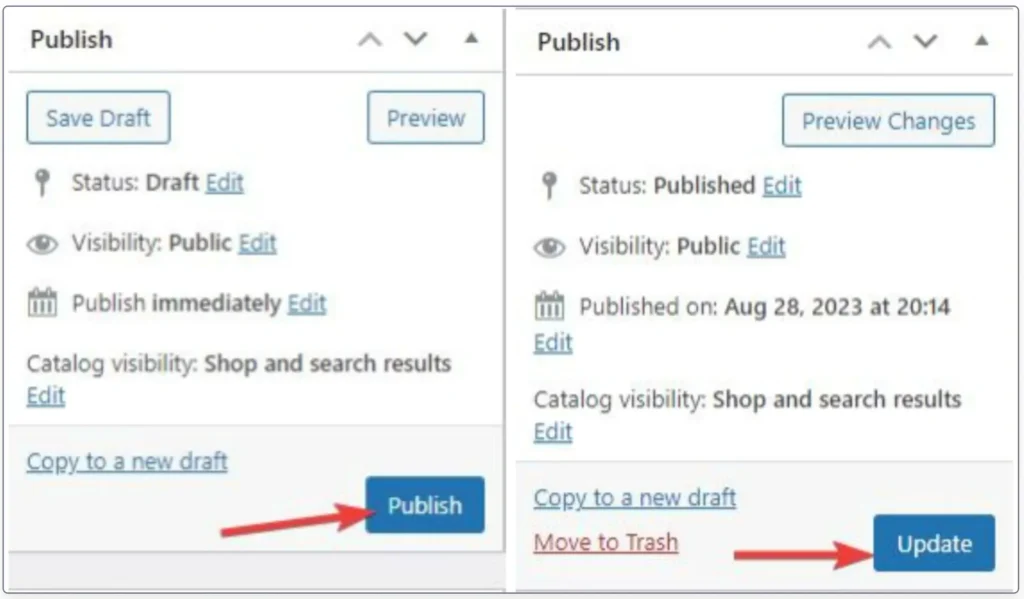
Once done, click update. If it’s a new product, click publish.
And that’s all. Now let’s explore the next method.
PH96login is alright. The login is pretty straightforward, and the platform feels fairly secure, which is essential. I’d say give a shot. Remember to gamble responsibly, though.

Hi, I log on to your new stuff daily. Your story-telling style is witty, keep doing what you’re doing!
thank you soo much, we are gonna be active now from 1 jan so yeah we are going to uplaod a lot more weekly content from 2026. thanks for your support
Pingback: hello world
PH96login is alright. The login is pretty straightforward, and the platform feels fairly secure, which is essential. I’d say give a shot. Remember to gamble responsibly, though.